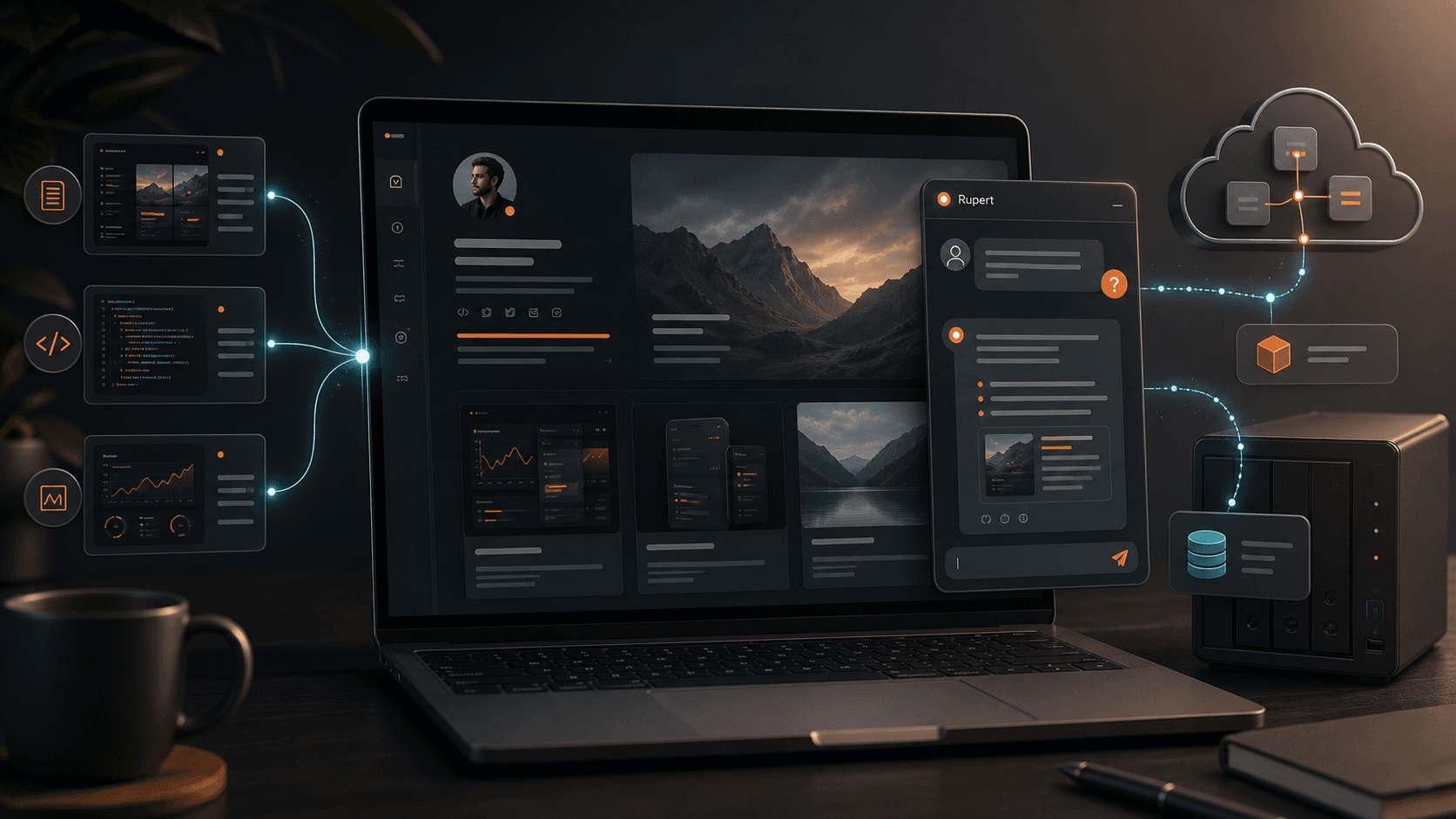
Building Rupert: The AI Chatbot Behind My Portfolio
See how I built Rupert, my portfolio AI assistant using Next.js, Gemini, NAS-hosted RAG, Upstash limits, streaming UI, and scope controls.
Rupert started as a simple idea: if this portfolio is supposed to help people understand my work, why should visitors have to manually connect every project, blog post, resume detail, and service page themselves?
The portfolio already had the raw material. It had project summaries, professional experience, technical writing, contact paths, and structured content. What it did not have was a conversational layer that could help a recruiter, business owner, or blog reader ask a direct question and get a grounded answer.
That became the goal for Rupert.
Not a novelty chatbot. Not a general artificial intelligence (AI) toy. Not a wrapper that would answer anything a visitor typed.
Rupert needed to be a portfolio assistant that knew my site, respected the boundaries of the site, controlled cost, and helped serious visitors understand whether my work was relevant to them.
The Problem Rupert Was Meant to Solve
A portfolio has a discoverability problem even after the pages are indexed.
Search can bring someone to a page, but it cannot always answer the specific question they have in the moment:
- What kind of developer is Ryan?
- Which projects show full-stack ability?
- Has Ryan built real client websites?
- What should a recruiter know first?
- Which blog posts explain his thinking?
- Can Ryan help a small business with a website or technical workflow?
Those are not always single-page questions. They cut across projects, experience, skills, blog posts, and contact information.
That is where a chatbot made sense. The assistant could sit on every page, retrieve relevant site context, and answer in a way that points people back into the portfolio instead of replacing it.
The central product decision was that Rupert would not be a general chatbot. It would be a guided assistant for this portfolio.
The Constraints
The architecture was shaped less by ambition than by constraints.
The assistant needed to:
- stay under a hard monthly budget
- avoid exposing personal social media or private accounts
- answer only questions about me, my work, my services, my projects, my blog posts, or the portfolio
- use site sources instead of inventing unsupported claims
- work on every page of the portfolio
- be usable on mobile and desktop
- stream responses so the interface felt alive
- record useful analytics without exposing sensitive visitor data
- survive the fact that some infrastructure was running from home
The budget constraint mattered most. I did not want a feature that could quietly become expensive because a public website was allowed to call an AI provider without guardrails.
That meant usage limits, cost tracking, daily caps, per-visitor caps, and fallback behavior were not optional. They were part of the product.
The First Architecture: NAS-First RAG
The first version leaned into the cheapest possible model: run the assistant backend from my own network attached storage (NAS).
The idea was straightforward:
- The portfolio runs on Next.js and Vercel.
- The assistant API retrieves relevant portfolio sources.
- The site sends the question and selected sources to a self-hosted RAG service.
- The RAG service runs in Docker on my Synology NAS.
- Ollama runs a small local model.
- Gemini remains available only as a fallback.
Retrieval-augmented generation (RAG) was the right pattern because Rupert did not need to memorize my entire portfolio inside a model. It needed to retrieve the most relevant pieces of site content and use those pieces as context for an answer.
That distinction matters. Fine-tuning sounds attractive, but for this use case it would have been the wrong first move. My portfolio changes. Blog posts get added. Project descriptions evolve. The assistant needed fresh grounded context more than it needed model training.
The local knowledge base was built from site data:
- profile overview
- services and contact information
- projects
- work experience
- skills
- blog post summaries
- blog post content chunks
Each user question is scored against those sources. The assistant only calls a model if it finds a strong enough source match. If the match is weak, Rupert falls back to a local answer or says the portfolio does not provide enough context yet.
That keeps the assistant grounded and avoids turning every user message into a paid model call.
Why the NAS Was Not Enough
The NAS-first idea worked, but it exposed the difference between "technically functional" and "good enough for a public user experience."
The local model could answer, but latency was inconsistent. Even after moving to a smaller model, trimming context, warming the model, and tuning output length, the response time was still too slow for a floating chat widget.
The numbers told the story:
- cold starts could take long enough to force fallback
- warm responses were better, but still noticeably slow
- first-token latency could be more than 20 seconds
- longer responses felt like they were getting cut off
That is not acceptable for a commercial-feeling assistant.
The conclusion was pragmatic: the NAS could remain useful, but it should not be the primary path for the visible chat experience if the goal was responsiveness.
This is one of the more important lessons from the build. Free infrastructure is only free if the user experience is still good enough. If the assistant feels broken, the cost savings do not matter.
The Current Architecture
Rupert now uses a hybrid architecture.
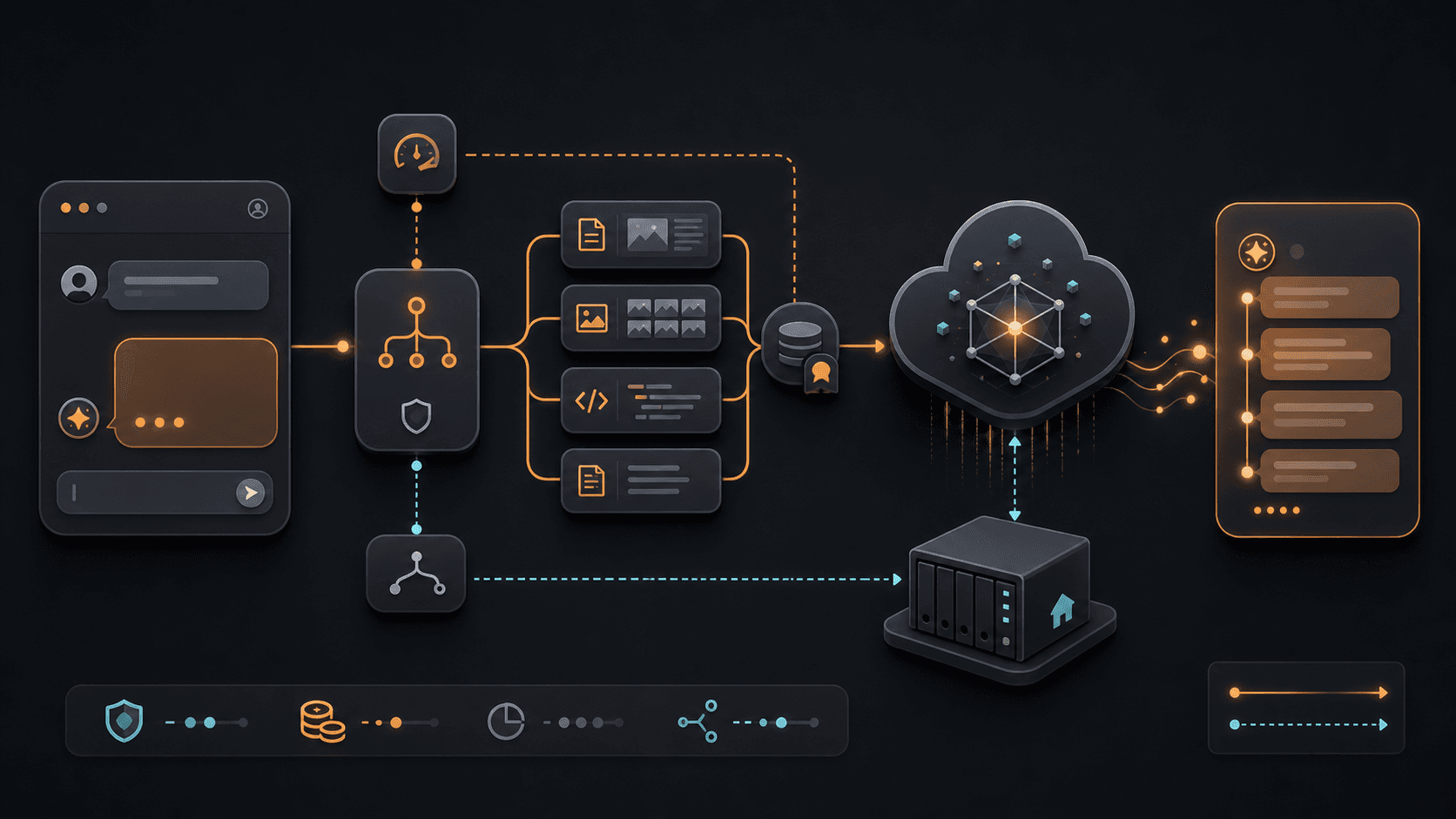
The visible chat path is optimized for speed:
- Visitor opens Rupert on the portfolio.
- The Next.js assistant route checks scope and usage limits.
- The app retrieves relevant portfolio sources.
- Gemini handles the fast streamed answer.
- The NAS-backed RAG service remains available as a fallback.
- Upstash stores usage counters, budget counters, and redacted interaction analytics.
That gives the assistant a better balance:
- Gemini provides fast first-token response and smoother streaming.
- The NAS still exists as a self-hosted option.
- Vercel runs the public portfolio and API routes.
- Upstash provides durable limits across serverless instances.
- The assistant remains grounded in portfolio sources.
- The hard monthly budget still protects the project.
The architecture is not "one model answers everything." It is model routing with policy checks, retrieval, usage controls, and fallbacks.
That is closer to how I think production AI features should be built.
Why Gemini Became the Primary Chat Path
The decision to use Gemini first was not ideological. It was based on measured behavior.
The self-hosted model was cheaper, but the visible response time was too slow. The assistant needed to feel responsive within a couple of seconds, especially because it lives in a small floating widget.
Gemini gave Rupert:
- faster first-token latency
- better streamed output
- more consistent response time
- stronger answer quality from limited context
- fewer cut-off responses
The tradeoff is cost, which is why the hard usage layer matters. Gemini is allowed to be the user-facing path because there are daily limits, per-visitor limits, monthly budget reservation, and a fallback path when the budget is unavailable or exhausted.
The model choice was not "paid is better." It was "the public experience needs to feel professional, and the cost exposure has to be controlled."
Why I Did Not Just Fine-Tune a Model
Fine-tuning is often the first thing people imagine when they hear "make the AI know my site."
For Rupert, it was not the right tool.
The assistant does not need a model that permanently memorizes old facts about me. It needs current site context. If I publish a new blog post, update a project, change my resume, or add a new service, Rupert should be able to use that information without retraining a model.
RAG solves that better than fine-tuning.
The learning loop for Rupert is not model training in the traditional sense. It is product tuning:
- log redacted visitor questions
- identify questions with weak source matches
- improve project summaries, blog summaries, and profile facts
- adjust retrieval weighting
- add better answer instructions
- test common questions again
That is a more practical way to improve a portfolio assistant. The content gets better, the retrieval gets better, and the model has stronger context to work from.
Scope Control and Safety
Rupert is intentionally narrow.
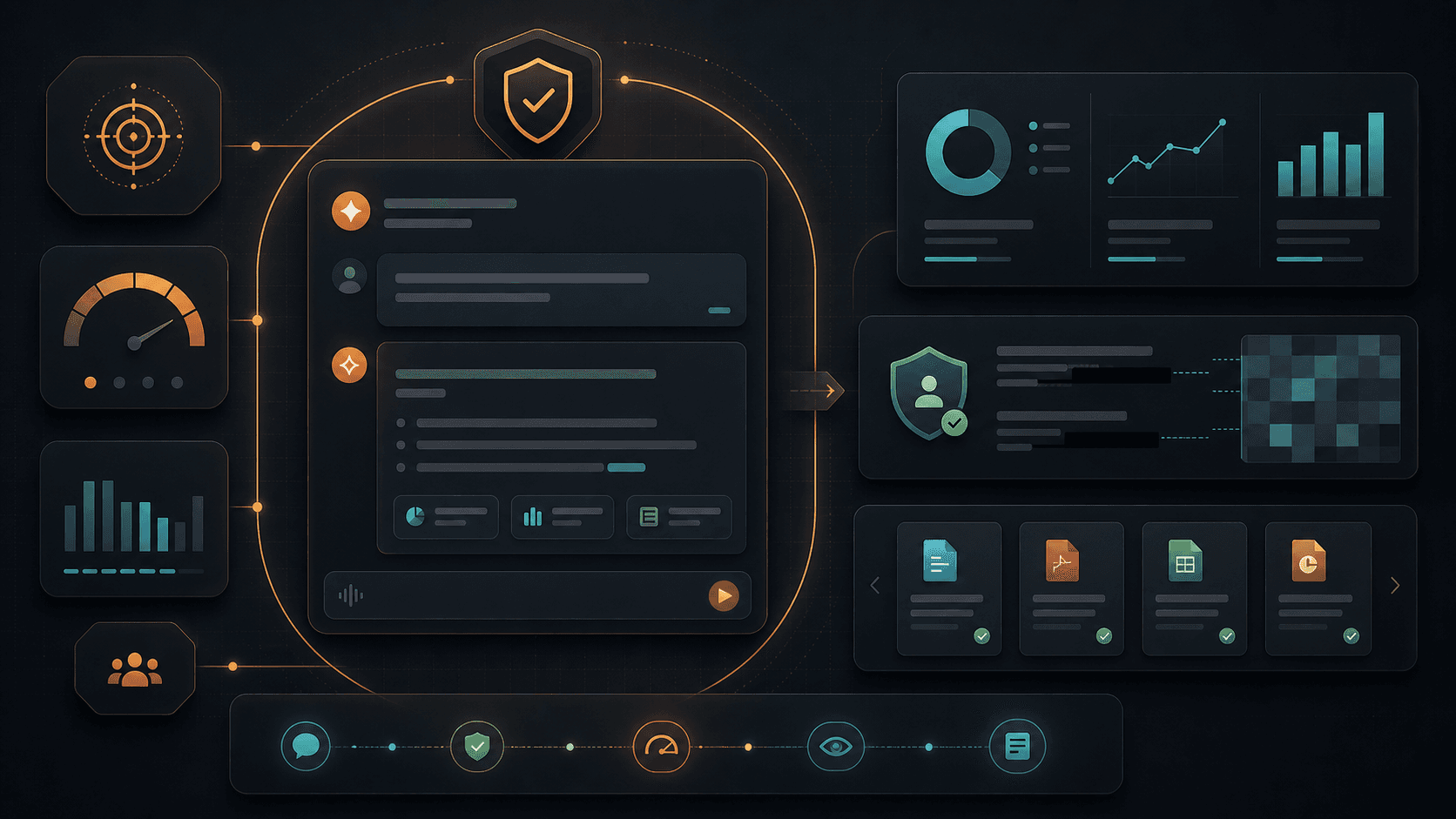
It should not help someone scrape websites, contact people through social media, answer unrelated political questions, produce legal or medical advice, or act like it has access to accounts it does not have.
The assistant has scope checks before model calls. It is only supposed to answer questions about:
- my projects
- my experience
- my services
- my blog posts
- my technical background
- this portfolio site
- how to contact me through the portfolio
It also avoids personal social media links. If a visitor wants to reach me, the correct path is the contact page.
That design choice matters because a portfolio chatbot is part of a professional surface. It should help visitors understand my work, not become a general-purpose prompt box attached to my name.
Cost Controls
The budget system was one of the central parts of the build.
Rupert uses durable counters so serverless restarts do not reset usage. The assistant tracks:
- total daily usage
- per-visitor daily usage
- estimated monthly AI spend
- remaining monthly budget
- whether durable storage is available
If durable usage tracking is unavailable, AI calls can be blocked instead of silently falling back to unsafe in-memory limits. That is intentional. A hard budget is only meaningful if the system can enforce it reliably.
This is also why the assistant has local fallback answers. Not every question should require a model. If the site already has enough structured context, a local answer can still be useful.
The principle is simple: paid inference should be useful, limited, and observable.
Streaming and the Typewriter Effect
The first version waited for a complete answer. That made the assistant feel slower than it really was.
The next version streamed server-sent events (SSE) from the assistant route to the browser. That improved the experience because the user could see the response start before the full answer was finished.
But raw streaming still did not look quite right. Some providers send text in uneven chunks. A large chunk can appear all at once, which technically streams but does not feel like a natural chat response.
That is why Rupert now uses a typewriter buffer on the frontend.
The network stream can arrive quickly, but the interface releases characters at a controlled pace. That gives users a familiar "Rupert is typing" experience while preserving the performance benefit of streaming.
This is a good example of product polish sitting on top of engineering. The backend can be correct, but the interaction can still feel wrong until the frontend presentation is tuned.
The Tunnel Problem
The NAS path introduced another real-world constraint: public access to a service running at home.
The first approach used a free Cloudflare quick tunnel. It worked, but the URL can change after a restart. If Vercel points at an old tunnel URL, the NAS appears down and the assistant falls back to Gemini.
The no-cost solution was to make the tunnel self-healing:
- the NAS startup script reads the current quick tunnel URL
- the script publishes that URL to a signed portfolio endpoint
- the portfolio stores the active NAS endpoint in durable storage
- the assistant reads the current endpoint dynamically
That avoided new hosting cost, kept GoDaddy DNS unchanged, and made the free tunnel approach less fragile.
It is still not the same as a paid or named production tunnel. But it is a good example of engineering within real constraints instead of pretending the ideal setup is always available.
Analytics Without Turning Visitors Into Data
Rupert logs enough to improve the assistant, but not more than it needs.
The analytics store captures:
- redacted user question
- answer preview
- audience mode
- provider used
- whether the answer was local or AI-generated
- whether fallback happened
- response time
- selected source URLs
- whether the answer was capped
It also redacts obvious emails, phone numbers, long tokens, and secrets.
The point is not to spy on visitors. The point is to see what people are trying to understand and where the assistant needs better portfolio context.
If people keep asking questions Rupert cannot answer well, that is a content signal. Maybe a project description is too thin. Maybe a blog post needs clearer framing. Maybe the resume page does not surface the right information. The chatbot becomes a feedback loop for the portfolio itself, in the same way Google Search Console data helped shape my indexing cleanup work.
What This Project Demonstrates
Rupert is a small feature, but it touches a lot of real application concerns:
- frontend interaction design
- streaming user interfaces
- serverless API routes
- model routing
- RAG
- Docker
- NAS hosting
- public tunneling
- durable usage limits
- budget enforcement
- analytics
- prompt design
- content retrieval
- scope control
- fallback architecture
That is why this project is more interesting than "I added a chatbot."
The important work was not just calling a model. The important work was making the model call fit inside a product with constraints.
That is where AI features become software engineering.
What I Would Improve Next
There are several clear next steps.
First, I want to keep improving the knowledge base. The better the source material, the better Rupert can answer. That means clearer project summaries, stronger blog metadata, and better structured facts about my work.
Second, I want to improve evaluation. The assistant should have a small set of test questions that are checked after every meaningful change. If Rupert starts giving weaker answers about my background, services, or projects, I want to catch that before users do.
Third, I want to keep watching cost and response quality. The Gemini-first path is currently the better user experience, but the NAS path is still valuable as a fallback and as a self-hosted experiment.
Finally, I want Rupert to become a better guide through the portfolio. The more useful version of this assistant does not just answer a question. It helps a visitor find the most relevant project, article, resume detail, or contact path for what they care about.
Frequently Asked Questions
Why build an AI chatbot for a portfolio?
A portfolio has a lot of scattered context. A chatbot helps recruiters, business owners, and readers ask direct questions across projects, experience, services, and blog posts without manually piecing everything together.
Is Rupert trained on private data?
No. Rupert is grounded in public portfolio content and curated site data. It is designed to answer from portfolio sources, not private files, personal accounts, or social media.
Why use RAG instead of fine-tuning?
RAG is better for a portfolio because the content changes. New blog posts, project updates, and resume changes can be retrieved directly without retraining a model.
Why use Gemini if the goal was low cost?
The NAS-hosted model was cheaper, but the response time was not good enough for a public chat widget. Gemini became the primary streaming path because it was faster and more reliable, while usage limits and budget tracking keep cost exposure controlled.
What does Rupert show about my development approach?
Rupert shows how I think about practical software architecture: define constraints, build the smallest useful system, measure where it fails, adjust the architecture, and keep the user experience and operational risk in view. That same product-first AI thinking also shows up in my article on enterprise AI control.
Closing Thoughts
Building Rupert reinforced something I already believed: useful AI products are not just prompts.
The model matters, but so do retrieval, latency, cost, scope, safety, deployment, observability, and interface design. A chatbot that answers quickly but invents facts is not good. A chatbot that is accurate but takes 40 seconds to respond is not good either. A chatbot that works until the first restart changes a tunnel URL is not ready for public use.
The value is in the system around the model.
That is what Rupert became: a small but practical AI product inside my portfolio, built around real constraints instead of ideal assumptions.
Share this article

Ryan VerWey
Full-stack developer, Army veteran, and founder of Echo Effect LLC. His experience timeline documents current Ratespedia CTO work, Department of War contractor work, and prior Army service. More about Ryan or see the work.
Recommended Reading
Building BREKIN: A Mortgage AI Knowledge System for Ratespedia
See how I built BREKIN, a Ratespedia mortgage AI knowledge system with Next.js, Supabase, trainer workflows, voice input, and RAG.
Building Optimize: Echo Effect's Website Audit Tool
A developer case study on building Optimize as a SaaS audit product with Next.js, Stripe subscriptions, reports, and practical SEO, AEO, GEO, and WCAG repair planning.

Enterprise AI Is Not About Tokens. It Is About Control.
Analyze Alex Karp's CNBC interview through enterprise AI control, market positioning, competitors, data boundaries, audit trails, and learning loops.