
Syndicating Your Personal Portfolio Blog to Dev.to Without Losing SEO Credit
Learn how to syndicate portfolio blog posts to Dev.to with RSS, canonical links, and a workflow that protects original SEO value.
Writing a post and publishing it on your own site reaches exactly the people who already know your site exists. For a personal portfolio that is not yet a known destination, that ceiling is low. Syndication is the practice of republishing that content on a platform that already has the audience, and done correctly, it compounds reach without diluting the SEO credit your original deserves.
This post covers what syndication is, why Dev.to is worth targeting for developer content, how the RSS-based workflow on this site operates, and the exact sequence of steps that protects the original from being outranked by its own copy.
What Syndication Is and What It Does
Syndication is the redistribution of content that has already been published elsewhere. In print media, syndicated columns ran in hundreds of newspapers. In web terms, the same article appears on multiple domains, and the mechanism for managing the SEO consequences of that is a canonical tag.
The canonical tag (<link rel="canonical" href="..."/>) tells search engines which URL is the authoritative source of a piece of content. When two pages have the same text, the canonical tag is what prevents Google from treating them as duplicates and splitting ranking credit between them. The page pointed to by the canonical tag gets the credit. The other page is treated as a reference to the original.
Without a canonical tag on the syndicated copy, Google has to guess which version is the original. It frequently guesses wrong or splits the credit, which can result in Dev.to outranking your own portfolio for an article you wrote and published first.
Syndication done correctly delivers three things:
- Reach. Dev.to has a large, engaged developer audience that will never encounter a personal portfolio site through search alone.
- Backlinks. Dev.to posts can link back to the original, and reader engagement on Dev.to can generate secondary links and shares that benefit the original's ranking.
- Brand recognition. A post that performs well on Dev.to puts your name in front of developers who then recognize it when they encounter your portfolio separately.
Why Dev.to
Dev.to is a developer-specific publishing platform with a large community and strong domain authority. Posts on Dev.to rank in Google, tend to stay indexed, and get picked up by newsletters, aggregators, and social shares within the developer community in ways that a personal portfolio site post often cannot replicate on its own.
The platform also supports canonical URLs as a first-class feature. The post editor has a dedicated canonical URL field that outputs a proper <link rel="canonical"> tag in the page head. This is not a workaround or a plugin. It is a built-in mechanism specifically for syndicated content, which means Dev.to has explicitly designed for the use case this workflow depends on.
The combination of real audience, strong indexing behavior, and proper canonical support makes it one of the most defensible targets for developer content syndication.
The Three-Piece System
Three components work together on ryanverwey.dev to protect the original and extract value from the repost:
Canonical tags on ryanverwey.dev posts tell Google which URL is the source of truth for each post before any repost exists. These are generated automatically from the post's metadata by the Next.js app router.
The RSS feed at /rss.xml delivers full post content to Dev.to for import. The feed includes the full post body with MDX components stripped to plain HTML and Markdown, cover images with absolute URLs, author information, and tags. Dev.to reads this feed to create draft posts pre-populated with the correct content.
The Canonical URL field on Dev.to is set to the ryanverwey.dev post URL before the Dev.to draft is published. This outputs a canonical tag pointing back to the original, closing the loop.
Omit any one of these and the system breaks. The canonical on ryanverwey.dev without the canonical on Dev.to means Dev.to's copy can still compete for ranking. The Dev.to canonical without indexing the original first means Google may have already credited Dev.to's version. The RSS feed without the canonical on either end means you are just publishing duplicate content with no attribution.
What the RSS Feed Sends
The feed at /rss.xml is implemented in app/rss.xml/route.ts and sends the following per post:
| Field | RSS element | Source |
|---|---|---|
| Title | title | Frontmatter title |
| Link | link | Canonical ryanverwey.dev URL |
| GUID | guid isPermaLink="true" | Same as link |
| Publish date | pubDate | Frontmatter date |
| Excerpt | description | Frontmatter summary |
| Full content | content:encoded | Full MDX body, JSX stripped |
| Cover image | media:content | Frontmatter banner, local paths converted to absolute |
| Author | author | Ryan VerWey |
| Tags | category | Frontmatter tags array, one element per tag |
MDX stripping rules
Before post content enters the feed, stripMdxComponents() processes the body:
- Code blocks: Fenced and inline code are preserved untouched
- Image and link paths: Relative paths like
/images/...are rewritten to absolutehttps://www.ryanverwey.dev/...URLs BlogImagecomponents: Self-closing JSX image components are removed entirelyBlockquoteandCalloutcomponents: Converted to standard Markdown>blockquotes- All other capitalized JSX tags: Wrapper elements are stripped, inner text is kept
If you add a new custom MDX component to a post, add a corresponding strip rule to stripMdxComponents() in app/rss.xml/route.ts before syndicating.
One-Time Dev.to Setup
This only needs to be done once per Dev.to account:
- Log into dev.to.
- Go to Settings > Extensions.
- Find "Publishing to DEV from RSS."
- Enter
https://www.ryanverwey.dev/rss.xmland click Fetch Feed. - All posts will appear as drafts in your dashboard.
Stop there. Do not publish any draft before the canonical URL is set. This is the part that gets skipped and causes the problem.
The Publish Sequence (Every Post, Every Time)
The order matters because Google's crawl timing determines which version gets credited first.
Day 0: Publish on ryanverwey.dev
Deploy the new .mdx file to production:
npx vercel --prod --yes
Immediately after the deploy completes, open Google Search Console, go to URL Inspection, paste the post URL, and click "Request Indexing." This is a direct signal to Google to crawl your version before any repost exists.
Days 1 to 3: Wait
24 hours is the minimum before syndicating. 3 to 4 days is the recommended window. This gives Google time to fully process and credit the original. The indexing request speeds this up but does not guarantee immediate processing.
Day 3 or 4: Syndicate to Dev.to
Open the Dev.to draft that was created from the RSS import. Before changing anything else, open the post settings panel (the gear icon or the front matter editor) and set the Canonical URL field to the ryanverwey.dev post URL:
https://www.ryanverwey.dev/blog/SLUG
Then add the attribution line as the very first line of the post body:
*Originally published on [ryanverwey.dev](https://www.ryanverwey.dev/blog/SLUG).*
Then publish.
Frontmatter Requirements for Clean Syndication
Two frontmatter fields require specific attention before a post is ready to syndicate:
banner: The RSS feed automatically converts local paths like /images/blog/example.webp to absolute URLs in the feed output. Dev.to will receive a valid image URL regardless of whether the path is relative or absolute in the MDX file. Externally hosted images are more reliable, but local paths work.
tags: Dev.to maps tags to its own tag system. For best matching, use lowercase, single-word or hyphenated values where possible (javascript, webdev, nextjs). The ryanverwey.dev tag list and Dev.to's tag list are separate systems: the frontmatter tags serve both, but the closer they are to Dev.to's conventions, the more accurately the post gets routed to relevant Dev.to topic feeds.
Best Practices
Never publish the Dev.to draft before setting the canonical URL. Dev.to drafts created from RSS import are drafts, not published posts. They do not affect indexing. But the moment you publish without a canonical set, you have a live page competing against your original with no attribution.
Request GSC indexing immediately after every publish. Not after you remember. The request takes seconds and the window where Google might crawl Dev.to first is real, especially for posts on topics that Dev.to's domain authority means Google is already watching.
Keep the sequence strict. The timing around the 3 to 4 day window is a guideline, not a guarantee. If a post is performing well in search quickly and you push the Dev.to copy out too fast, there is more risk. If a post is slow to get traction, the canonical chain protects you regardless. When in doubt, wait longer.
Prioritize project and technical posts first. Dev.to's audience responds best to content with code, practical implementation details, and clear technical takeaways. Project writeups, implementation deep dives, and tool-building posts outperform general retrospectives on the platform.
Tag accurately, not optimistically. Tags on Dev.to feed into topic pages with their own audiences. Misusing popular tags to gain visibility is a fast way to get low engagement and potentially flagged. Tag to what the post is actually about.
Check the RSS import before publishing. Open the Dev.to draft and scan the imported content before touching the canonical field. Occasionally the MDX stripping leaves formatting artifacts. Better to catch and fix those before publishing than to edit a live post.
Recommended Timeline
| Day | Action |
|---|---|
| 0 | Deploy post to ryanverwey.dev, immediately request indexing in GSC |
| 1 | Confirm post is live and accessible, check for any mobile/rendering issues |
| 3 to 4 | Open Dev.to draft, set canonical URL, add attribution line, publish |
| 5 to 7 | Check Dev.to engagement, share on LinkedIn or social if appropriate |
| 14+ | Check GSC for ryanverwey.dev post impressions, confirm correct URL appears in search |
What You Are Passing to Dev.to
For every syndicated post, Dev.to receives and the editor should verify:
- Canonical URL: Set to
https://www.ryanverwey.dev/blog/SLUGbefore publishing - Attribution line:
*Originally published on [ryanverwey.dev](https://www.ryanverwey.dev/blog/SLUG).*as the first line of the body - Cover image: Pulled from the RSS feed via the
bannerfrontmatter field - Tags: Pulled from the RSS feed via the
tagsfrontmatter array - Full content: The entire post body as stripped Markdown and HTML from the feed
- Title: Pulled from the RSS feed via the
titlefrontmatter field
The RSS import handles the content. The canonical URL and attribution line are the two manual steps that must be completed before publishing.
FAQ
Can I syndicate immediately after publishing? Technically yes, but you should not. Google needs time to crawl and credit the original. If Dev.to publishes first and Google indexes it first, Dev.to's version may receive the ranking signal. The 3 to 4 day window exists specifically to give the original a head start.
What happens if I forget to set the canonical URL on Dev.to? You have a live page on a high-authority domain (Dev.to) pointing at itself as the source of truth, competing against your lower-authority portfolio site for the same content. You will likely lose that ranking competition. Fix it immediately by editing the Dev.to post and setting the canonical URL. The damage may already be done depending on how quickly Google indexed the Dev.to copy.
Do I need to manually update the Dev.to post if I update the original? Yes. The RSS feed reflects the current state of posts on ryanverwey.dev, but Dev.to does not re-import post content after the initial sync. If you make significant updates to a post, update the Dev.to copy manually and add an editor's note with the date of the update.
Does syndicating to Dev.to hurt my Google rankings? Done correctly with the canonical chain in place, no. The canonical tag on the Dev.to post tells Google the ryanverwey.dev version is the source. Google consolidates ranking signals to the canonical URL rather than splitting them. Done incorrectly (no canonical, or syndicated first before indexing the original), it can hurt significantly.
What is the point of the attribution line if the canonical tag already handles it? The canonical tag is a machine-readable signal for crawlers. The attribution line is a human-readable signal for readers. It also creates a visible link back to ryanverwey.dev that readers can click, which is a direct traffic source independent of search ranking.
This workflow depends on the same crawl and canonical rules covered in my Google Search Console parameterized URL indexing guide, and it works best when the original content is supported by a strong project portfolio.
Share this article

Ryan VerWey
Full-stack developer, Army veteran, and founder of Echo Effect LLC. His experience timeline documents current Ratespedia CTO work, Department of War contractor work, and prior Army service. More about Ryan or see the work.
Recommended Reading
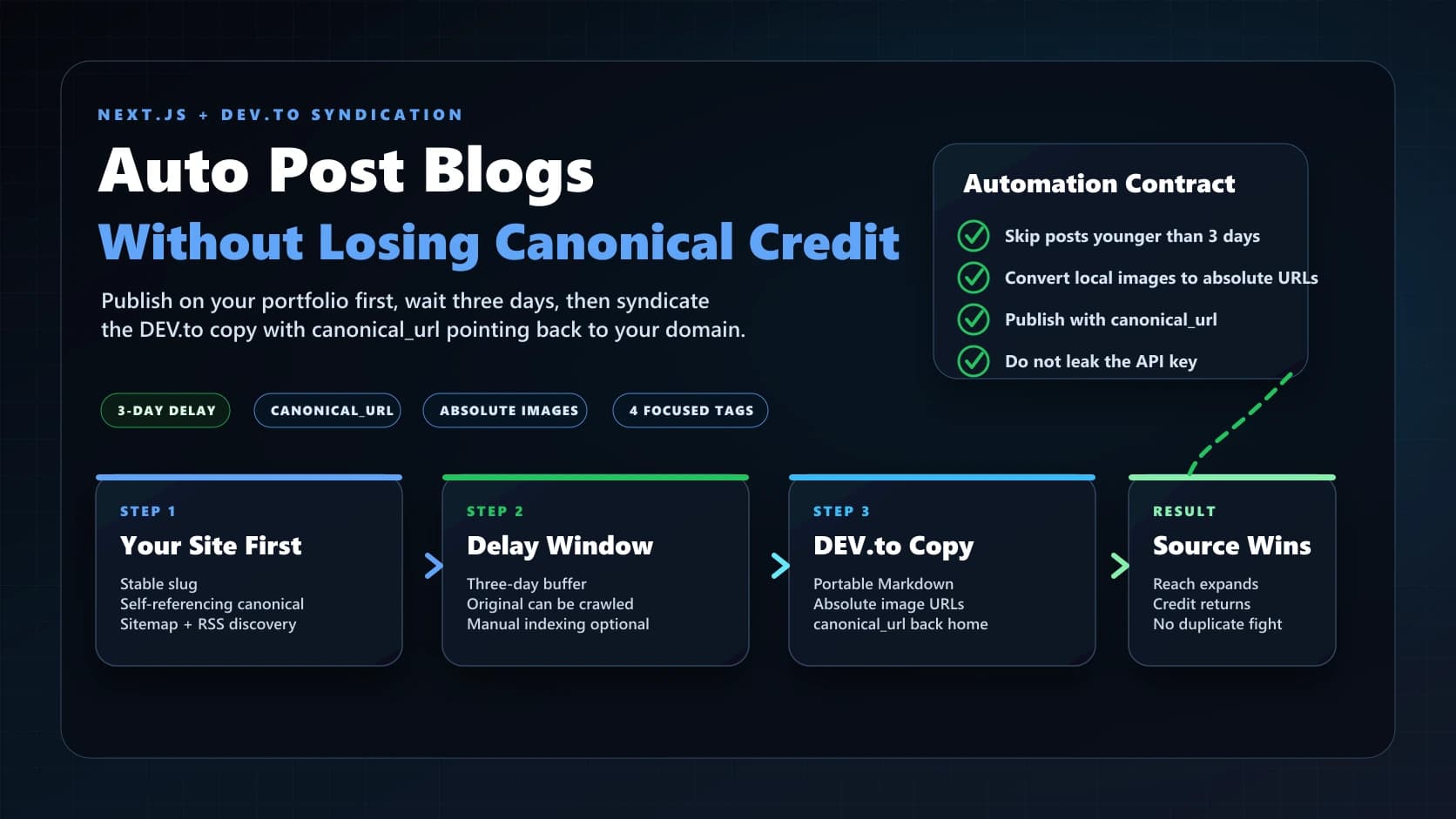
Publish First, Syndicate Later: Automating Dev.to Without Losing SEO Credit
Automate Next.js portfolio blog syndication to Dev.to with images, four tags, a three-day delay, and canonical URLs.
IONOS: Three Months, Two Websites, and a Cancellation That Wouldn't End
Read my IONOS cancellation experience, including months of support issues, reversed cancellation requests, and lessons for small business hosting.

Why Google Search Console Indexes Your Filter Pages as Separate URLs (And How to Stop It)
Learn why Google Search Console reports parameterized blog URLs and how Next.js metadata, canonicals, and crawl rules prevent indexing noise.